
From sign-up to your first snipe
About ten minutes, start to finish. The screenshots are the real app on demo market data.
Create your account and confirm your email
Sign up with your email and a password, tick the terms, then open the email we send you and press Confirm my email. Your free trial starts when the email is confirmed. You can't log in or sign in to the app before that.
Choose a plan (or use the free trial first)
Pick Pro or Premium, monthly or yearly, and pay on Whop or Patreon. Use the same email as your FUT Snatcher account and the plan switches on by itself. Your dashboard shows the plan, the billing period and when it renews.
Install the app
Windows: run the FUT Snatcher installer and open FUT Snatcher. It opens EA's Web App inside the app.
Chrome: unzip the extension, open chrome://extensions, switch on Developer mode, press Load unpacked and choose the folder.
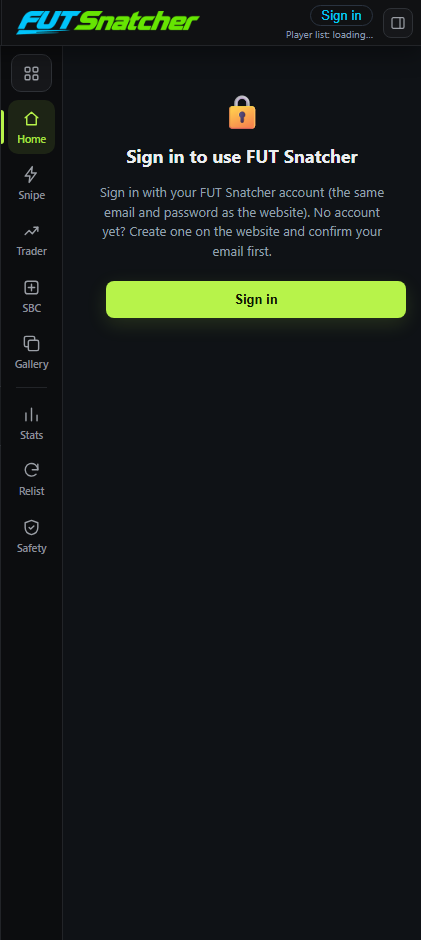
Sign in to the app with your FUT Snatcher account
The app stays locked until you sign in. Desktop app: the sign-in window opens by itself (or menu FUT Snatcher → Sign in).
Chrome extension: press Sign in in the FUT Snatcher panel, or right-click the icon → Options.
Enter the same email and password as on this website. From then on every card the app buys and sells is linked to your account. You can see and sign out your devices on the dashboard.
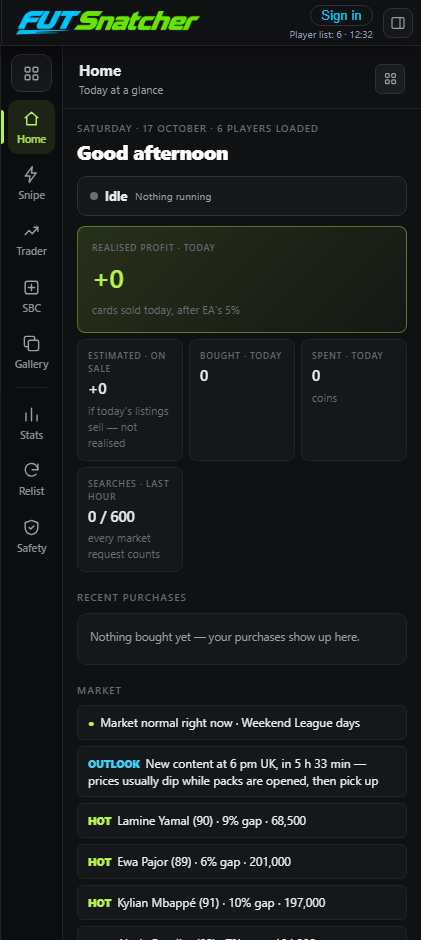
Open the Web App and log in to EA yourself
Log in to EA's Web App as usual. FUT Snatcher never asks for your EA password. The FUT Snatcher panel appears on the right with your coins, the market gauge and your plan.
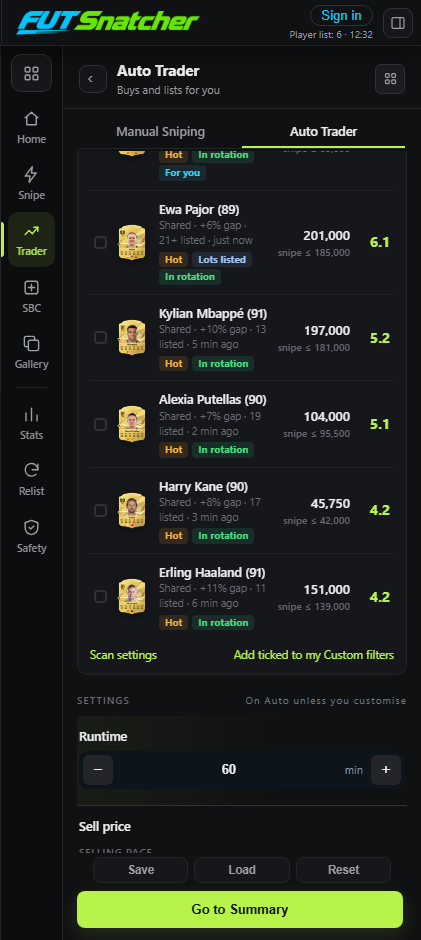
Choose Manual Sniping or the Auto Trader
Manual Sniping snipes the players you pick. The Auto Trader also lists every card for profit. In either tab, choose Live Filters (tick players, or tick nothing for the best 15) or Custom (your own players and every setting).
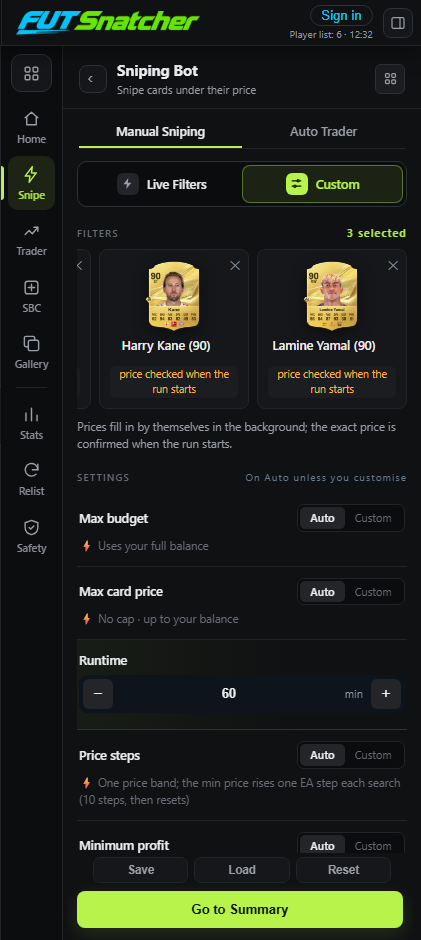
Check the summary and press Start
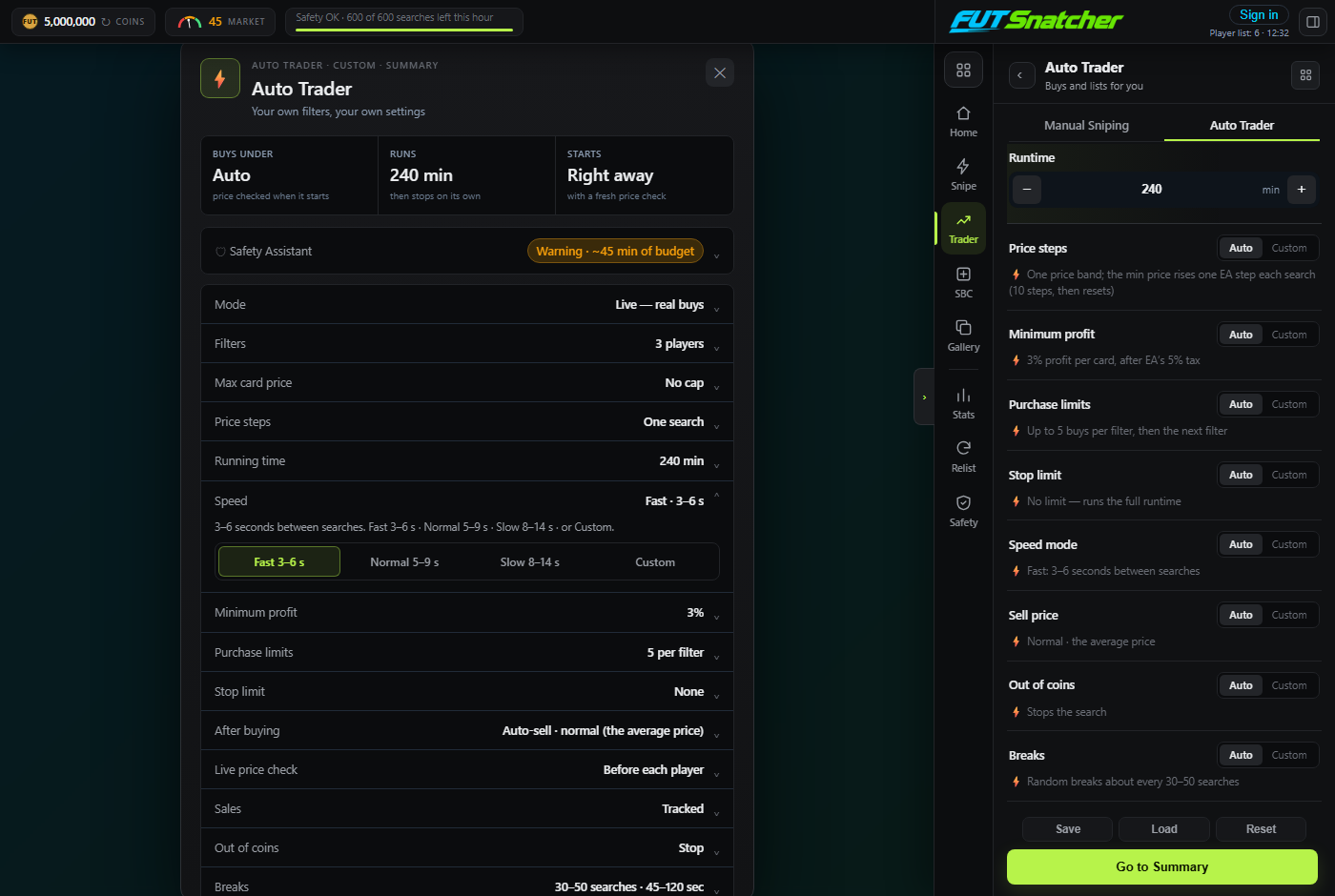
Go to Summary shows everything before it starts: the run time (and the real maximum if your session limit is shorter), speed, breaks, profit, selling pace and the Safety Assistant. Change things right there, then press Start.
Watch the run window
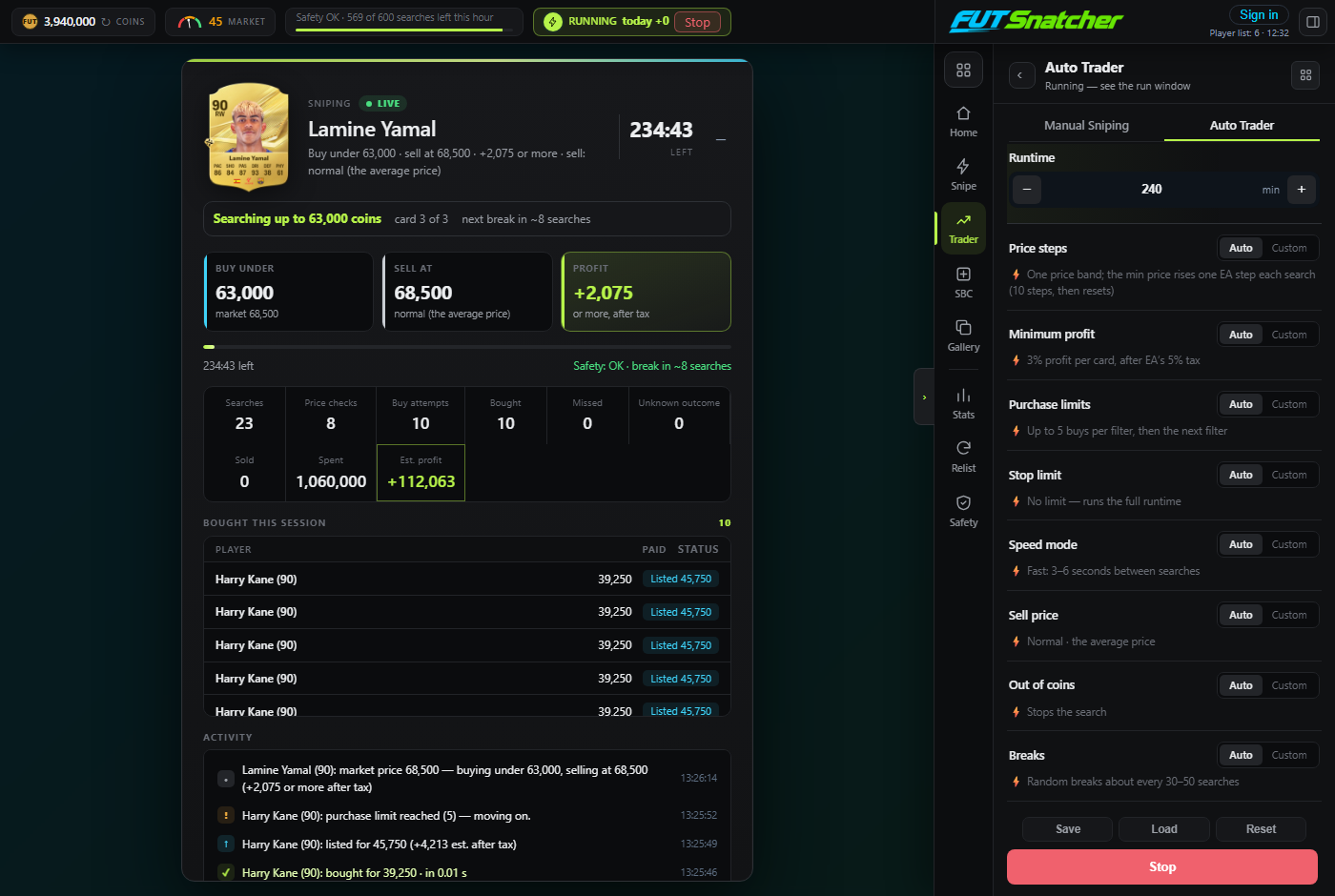
The run window shows EA's card picture for the player it's on, Buy under / Sell at / Profit, every card bought and a live feed. Breaks show a countdown with Skip break. Next player and Stop are always there.
See your results on the dashboard
Every buy and sale appears on your dashboard within a minute: profit per day, best snipes, win rate and the full history, plus your plan, referral link and devices.
Getting the most out of it
Start with a dry run
Switch on Dry run in Safety: it searches and prices as normal and shows what it would buy, without buying.
Keep one app open
EA allows one Web App session per account. Running FUT Snatcher next to another trading app signs one of them out.
Mind your limits
Fast speed uses your hourly search limit quickly. Normal speed or a smaller limit gives a steadier run with shorter pauses.