What FUT Snatcher does
Every tool, what it does and what you can set. The screenshots are the real app, running on demo market data.
Buys under value. Lists for profit.
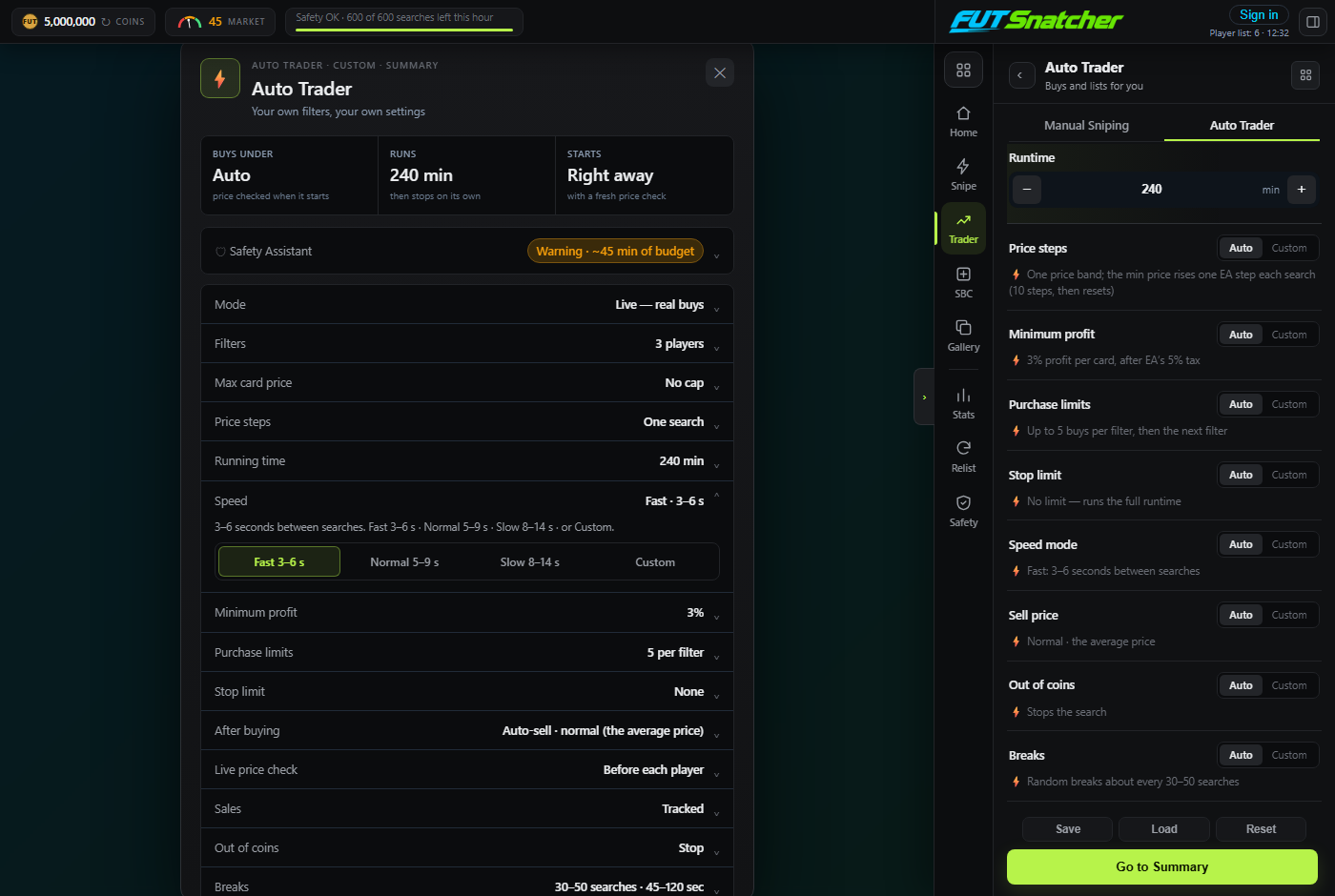
The Auto Trader trades the players you choose (or the best 15 Live Filters) for as long as you set. Before each player it checks the live price on EA, works out the most it can pay and still make your minimum profit after EA's 5% tax, and snipes anything listed under that.
- Selling pace: Undercut (one price step under the cheapest), Lowest (match it) or High (+8%, 3 hours)
- Minimum profit in coins or %, default 400 coins
- Every card bought is listed for you, and never at a loss
- About every 4 minutes it reads your transfer list: sold cards are logged with the real profit and cleared, unsold ones relisted
- When every player reaches its purchase limit it starts a new round, until the run time ends
- Change speed, breaks, run time and profit right in the summary before you start
The best cards, chosen for you
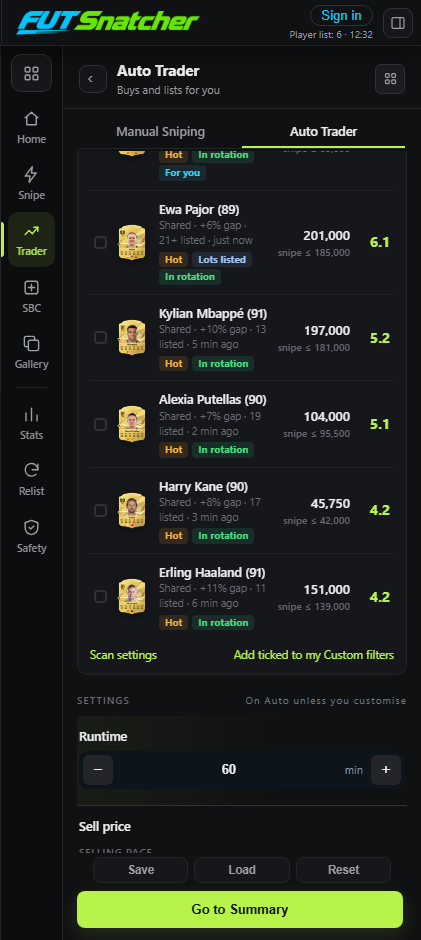
Live Filters are cards with a price gap worth sniping. They build up in the background while the bot is idle, one quiet check every couple of minutes, and from prices shared anonymously by FUT Snatcher users.
- Each card scores 0 to 10: price gap, supply, freshness and whether it fits your coins, with the reasons shown
- Tags: Hot, Lots listed, Trending, For you
- Tick the players you want, or tick nothing and the top 15 rotate for the whole run
- Quick Flip sorts by supply (sells fast), Slow Flip by gap (more profit)
- Shows how many other FUT Snatcher users are on a card, so everyone spreads out
- Automatic picks only include cards worth 10,000 coins or more
Manual Sniping on your own filters
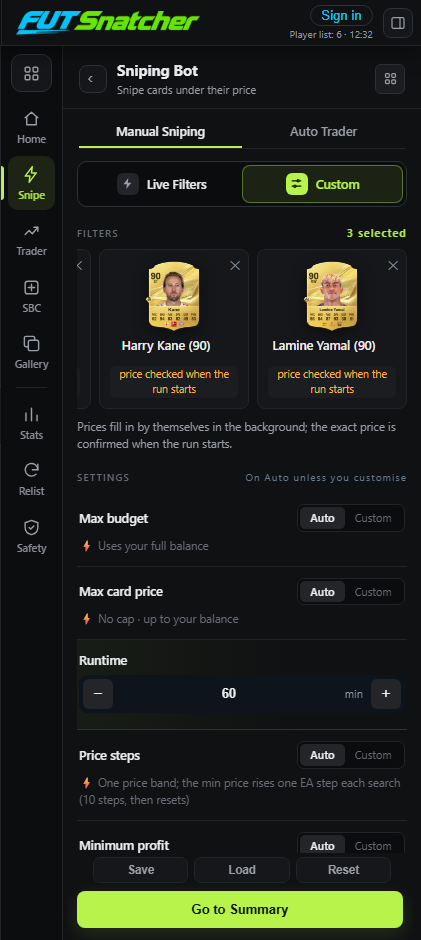
Add the players you want with Card Search, Live Filters or your saved presets. The bot works through them one at a time: it checks the price, snipes for a random number of searches, takes a break, then moves on to the next player.
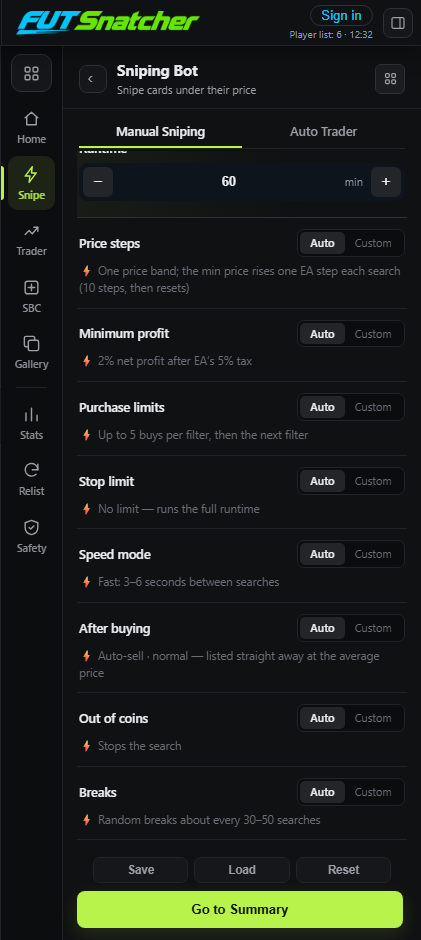
- About 12 settings, each with a safe Auto value: budget, max card price, price steps, minimum profit, purchase limits, stop limit, speed, breaks, run time
- Search variation: the minimum price changes a little on every search, so EA never sees the same search twice
- Picks the right version of a player (the one actually traded on the market)
- Buy Now goes out in a fraction of a second; a missed card moves straight to the next one
- Dry run: searches and prices as normal, shows what it would buy, never buys
- Save and load presets of players
See exactly what it's doing
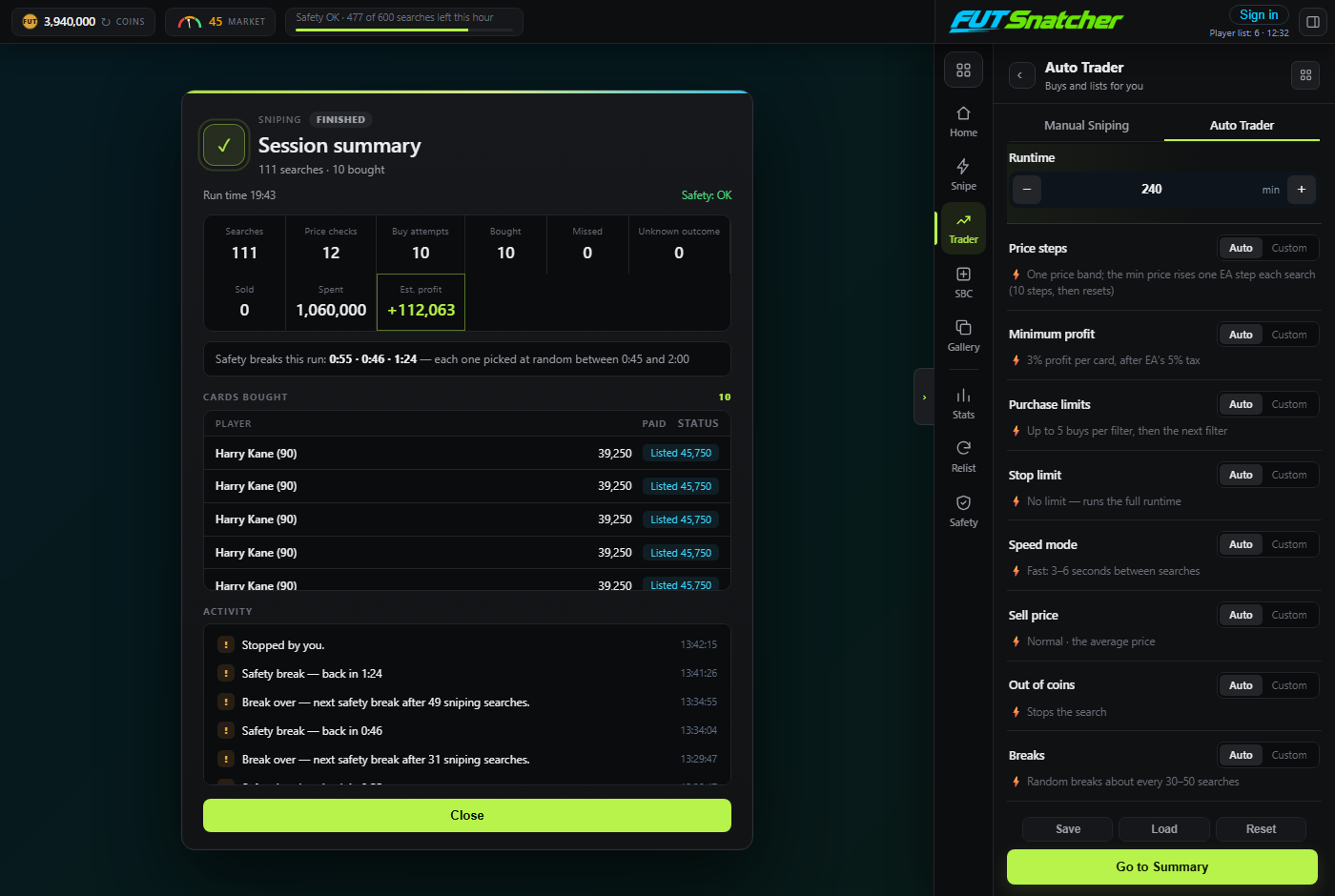
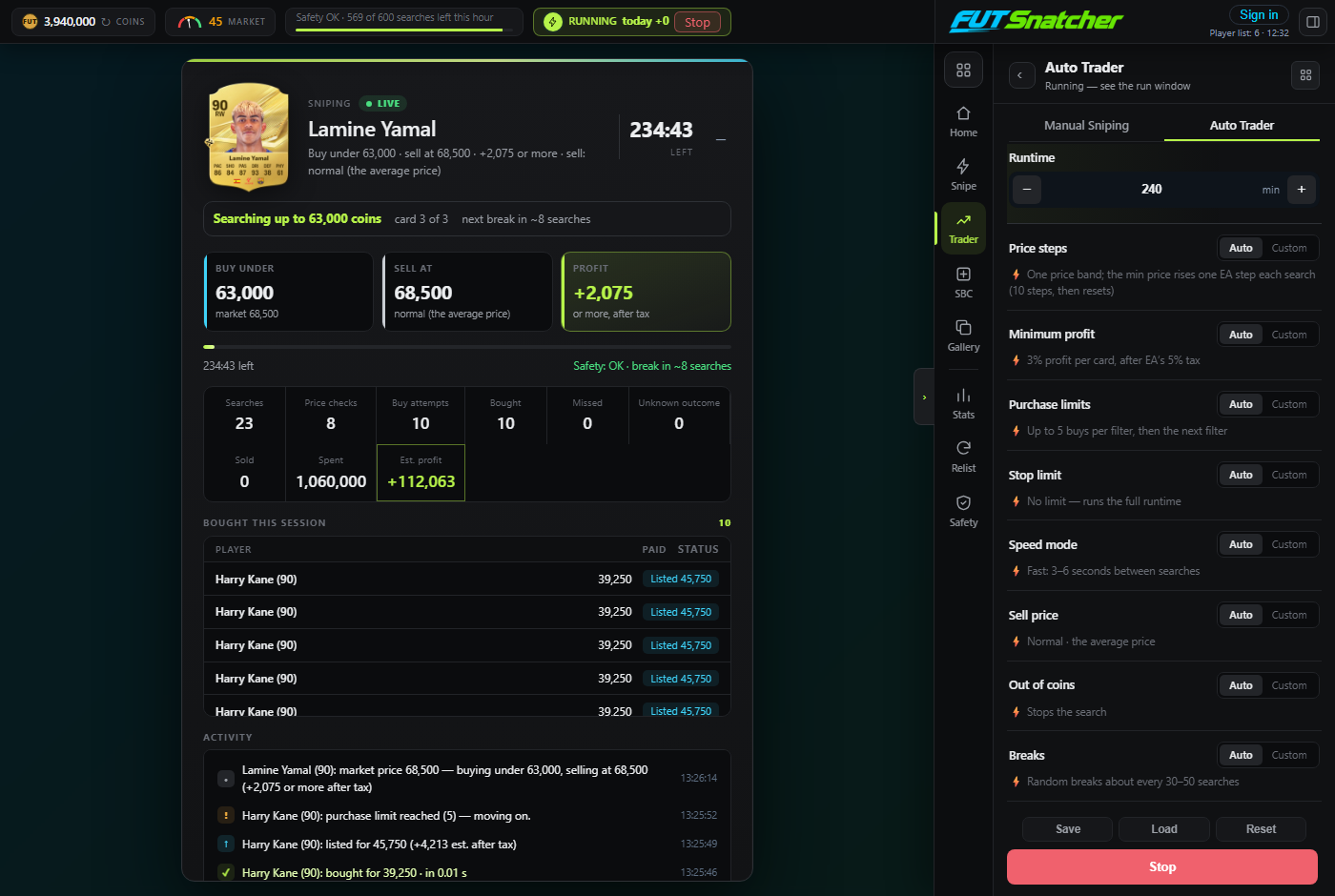
The run window pops up when a run starts. It shows EA's own card picture for the player it's on, the buy and sell price, the profit, every card bought, and a live feed of every step.
- Buy under / Sell at / Profit for the current player
- Searches, buy attempts, bought, missed, spent and estimated profit
- "Next player" button, and Stop at any time
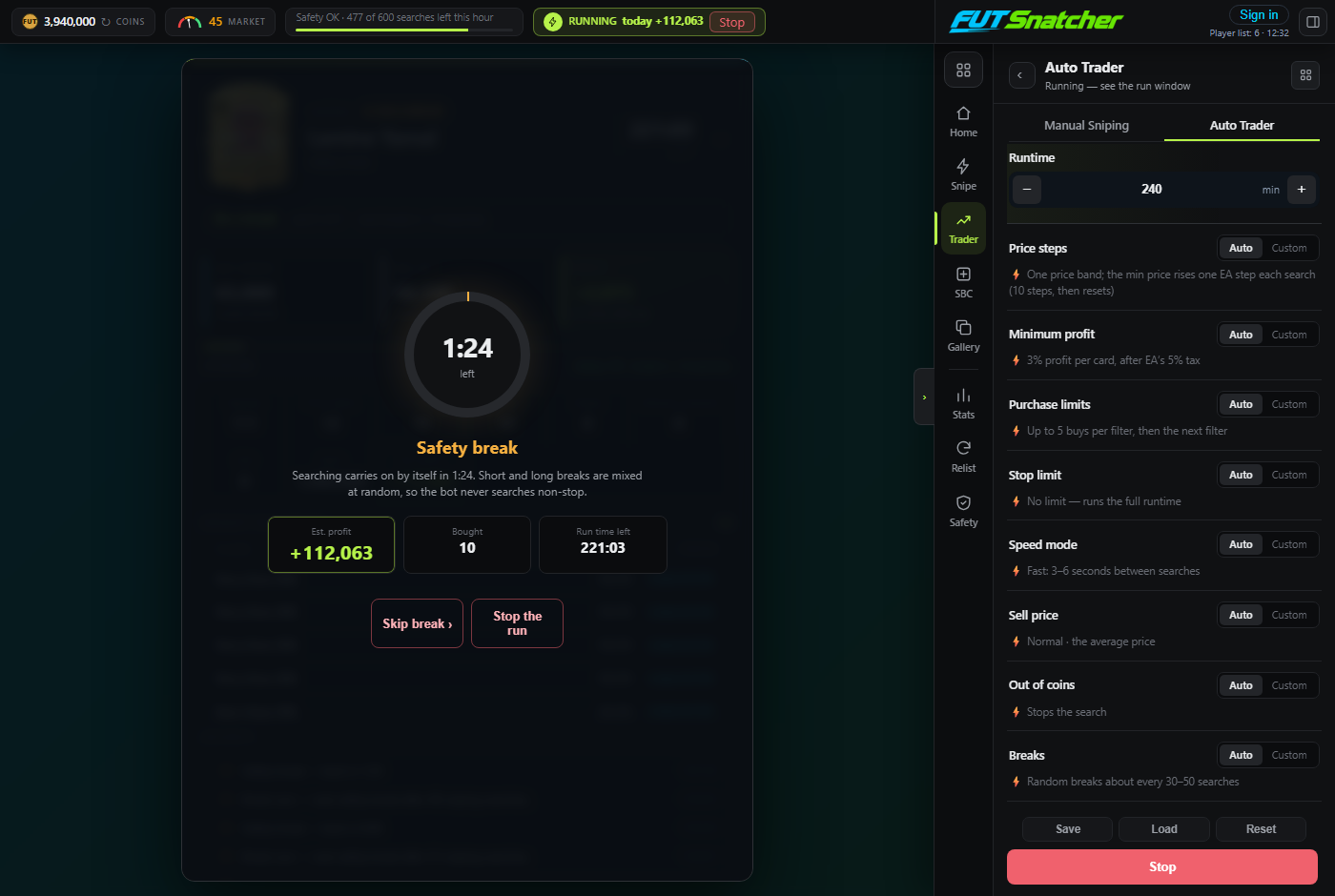
- Safety breaks show a countdown with "Skip break"
- A session summary when the run ends
Limits you control
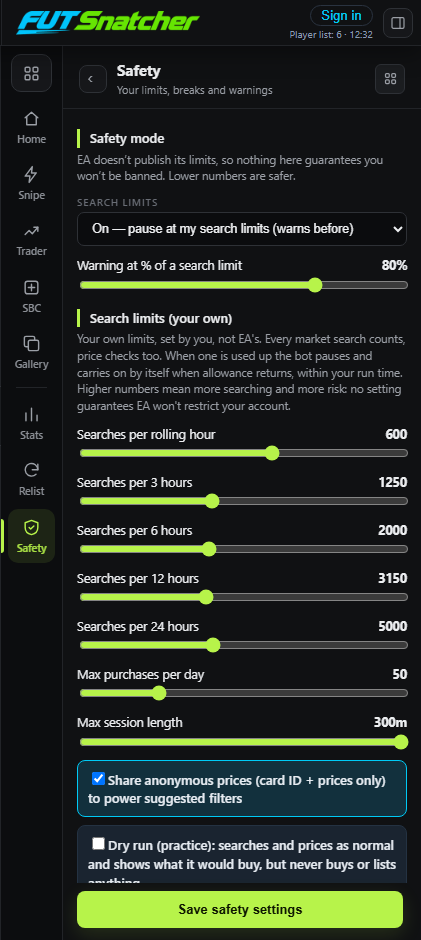
EA doesn't publish its limits, so FUT Snatcher lets you set your own. They count every market search, price checks included.
- Search limits per rolling 1, 3, 6, 12 and 24 hours (600 / 1,250 / 2,000 / 3,150 / 5,000 by default)
- When one is used up the bot pauses and carries on by itself when allowance returns, within your run time
- Search limits On (pause) or Off (just warn when you pass one)
- Random safety breaks inside the length you choose
- Max purchases per day and max session length
- Stops straight away and blocks a restart for 15 minutes if EA restricts the account
Prices proven on EA, not guessed
Before buying, FUT Snatcher finds the real market price on EA and proves it: a search one step under the cheapest listing must come back empty. Reference prices only tell it where to start looking.
- Market price = where the pack of listings is, not a lone cheap card
- Usually 1 to 4 searches per price check
- Never buys on a guess: a price that can't be proven means the player is skipped for now
- Listings outside the price asked for are treated as a bad reply, never as "nothing listed"
Every snipe, on your account
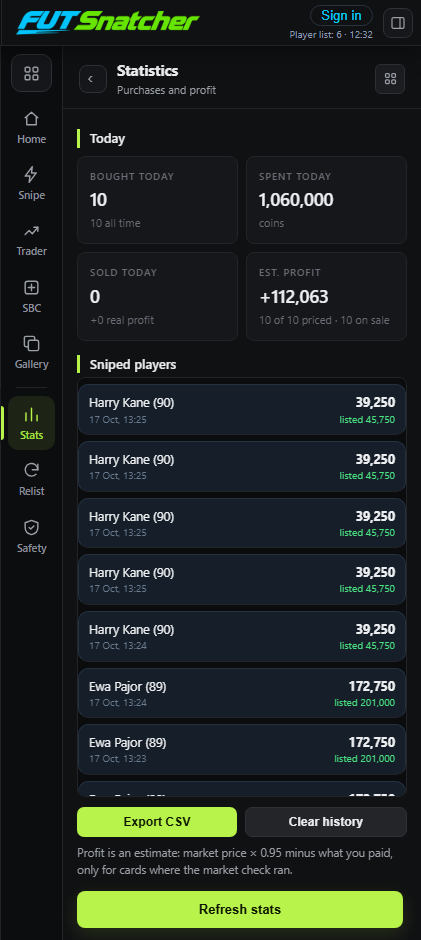
In the app, Statistics shows today's buys, spend, sales and profit. Sign in to the app with your FUT Snatcher account and the same history appears on your website dashboard, from every device.
- Profit per day for the last 14 days, after EA's 5% tax
- Average profit per sale, win rate and your best cards
- Full snipe history with EA's card pictures
- Export to CSV in the app
- Only card, prices, time and platform are sent, never EA account details
Proven SBC solutions, bought for you
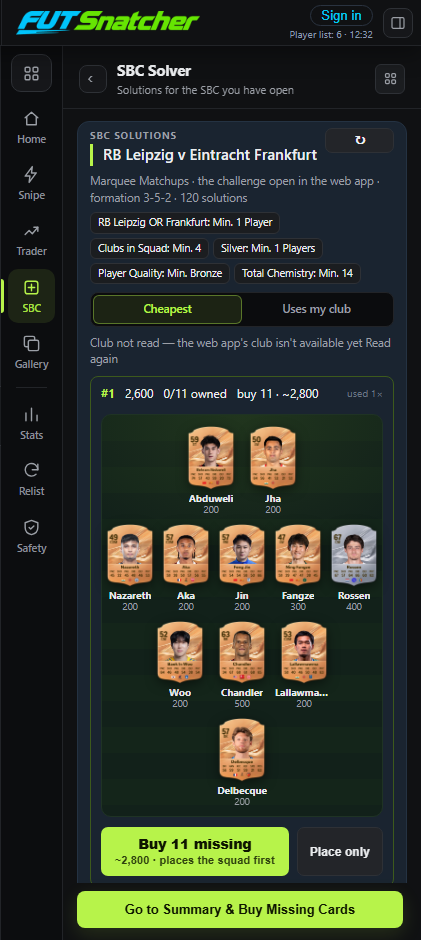
Open an SBC in the web app and FUT Snatcher recognises it and lists community solutions, cheapest first or ranked by the players you already own, each drawn as a squad. It buys only the players you're missing and can put the squad into the SBC for you.
- Every current SBC and its challenges, with solution prices
- "Cheapest" or "Uses my club": see how many players you already own and what's left to buy
- Buys the exact cards on the market, within the price rise you allow
- Dry run, safety limits and "never buy twice" apply here too
- Solutions from FUTNEXT (futnext.com)
The cheapest route to the next grade
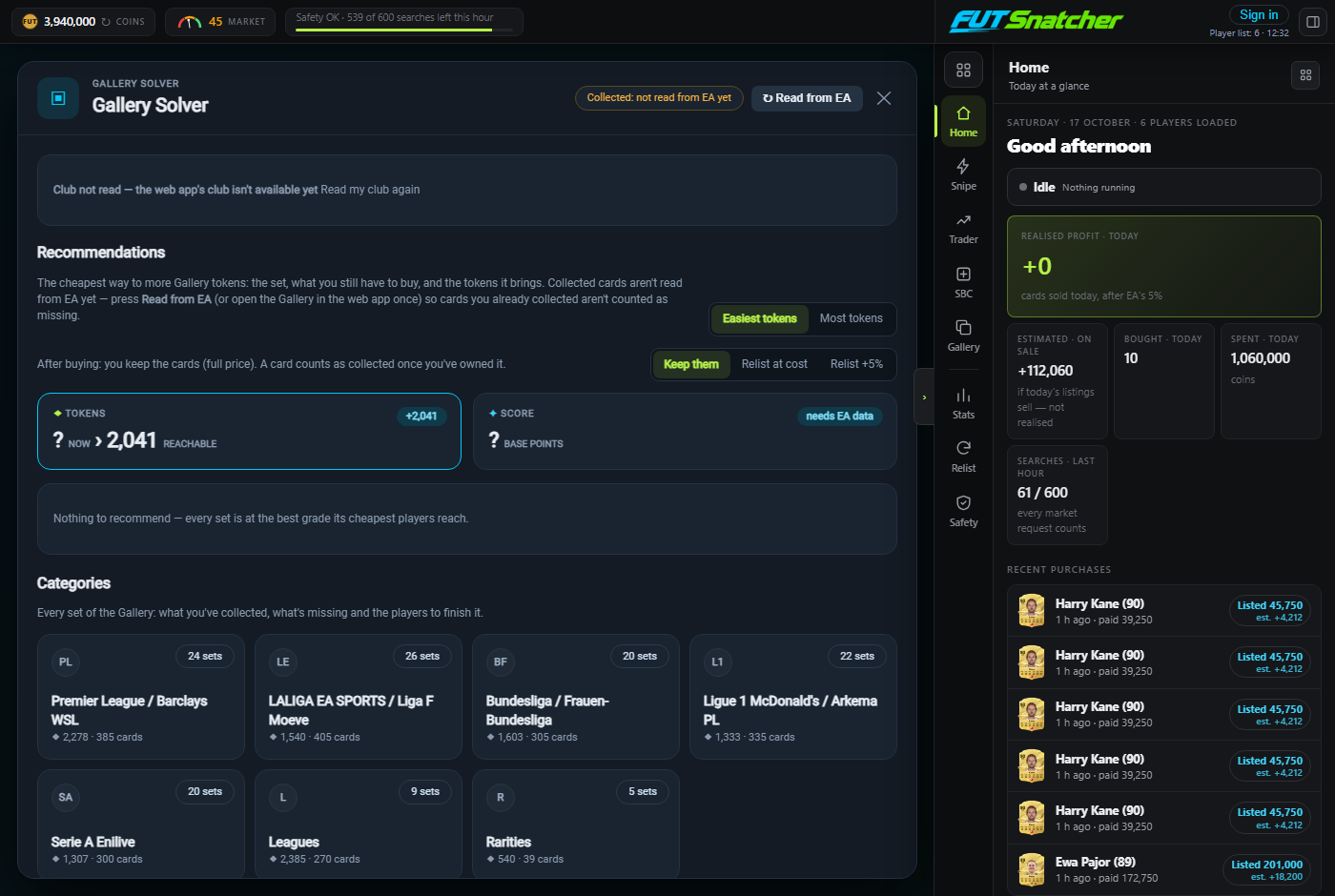
The Gallery Solver ranks the Gallery sets by value and plans the cheapest set of cards to reach the next grade, counting the bonuses.
- Best value sets first
- Recommended lineup with the bonuses counted
- Plans are a projection, worded as such: never a promise