
Snipe smarter.
Trade while you're away.
FUT Snatcher finds cards listed under their market value, buys them in a fraction of a second and lists them for profit. You set the search limits, the breaks and how long it runs.
Every snipe, live, in one window
The run window shows the player it's on, the buy and sell price, the profit after EA's 5% tax, every card bought and what it's doing right now.
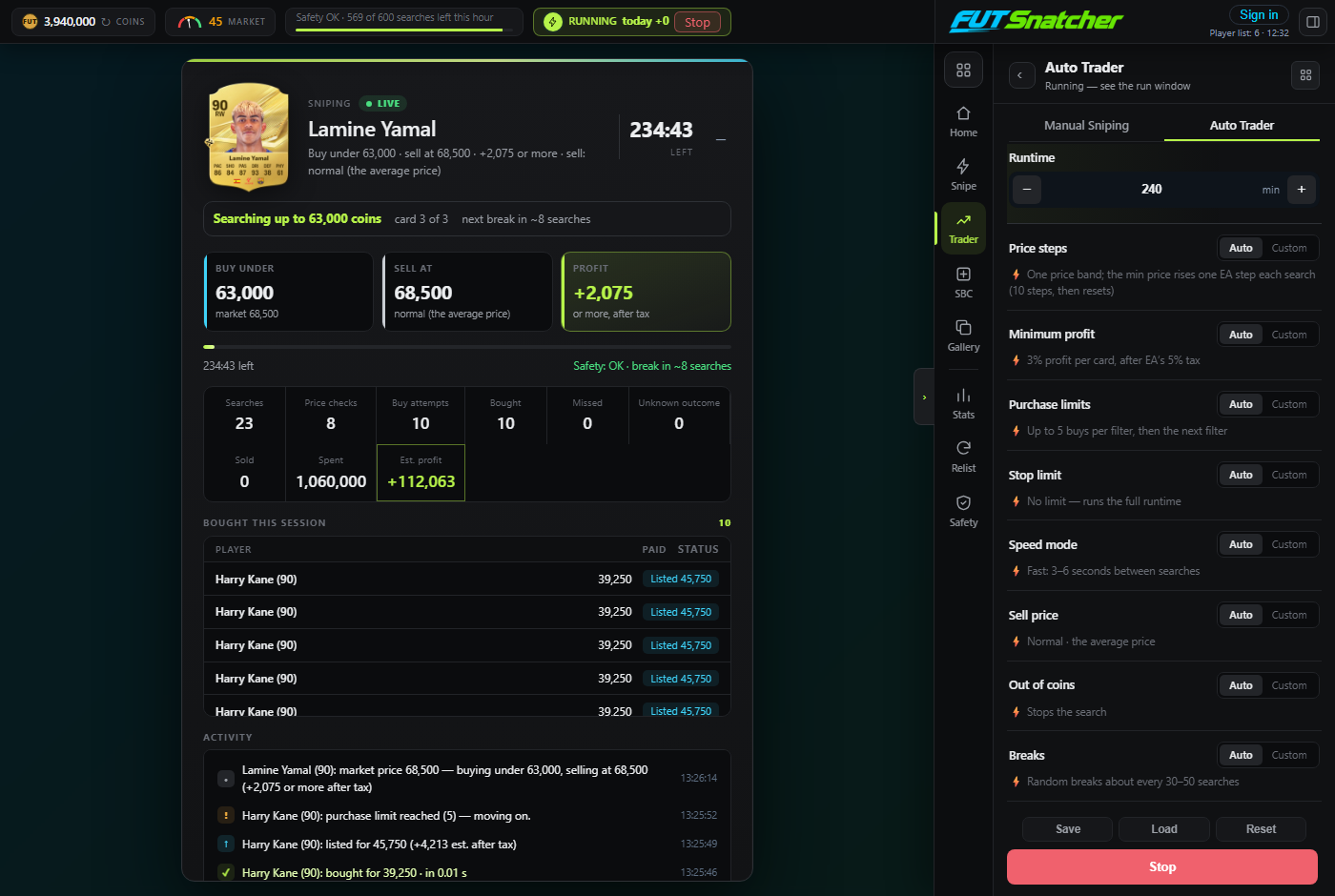
Screens from the FUT Snatcher app, running on demo market data.
Everything you need for the Transfer Market
Buys under value, lists for profit
Pick your players, or let the bot choose the best 15. It checks each card's live price, snipes anything listed under your buy price and lists every card at the selling pace you choose.
- Profit after EA's 5% tax checked before every buy
- Undercut, Lowest or High selling pace
- Sold cards logged with the real profit, unsold cards relisted
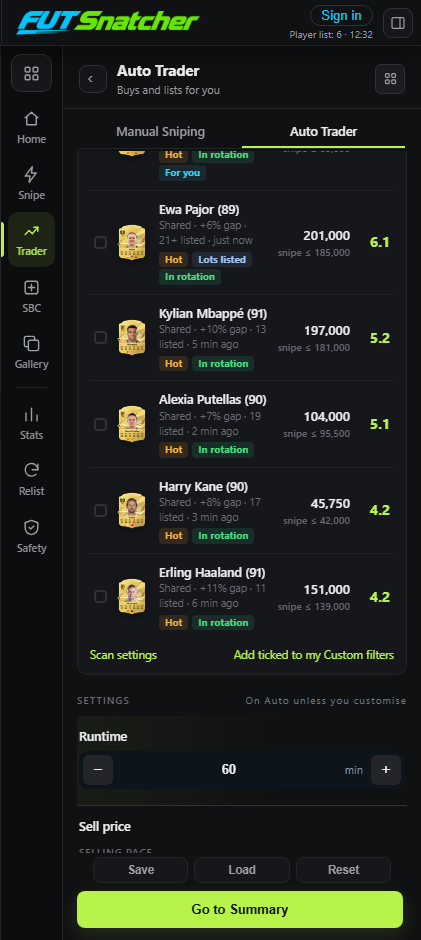
The best cards, picked for you
Live Filters rank cards by price gap, supply, freshness and what you can afford. Tick the ones you like, or tick nothing and the top 15 rotate for the whole run.
- Scores from 0 to 10 with the reasons shown
- Quick Flip and Slow Flip views
- Spreads FUT Snatcher users across different cards
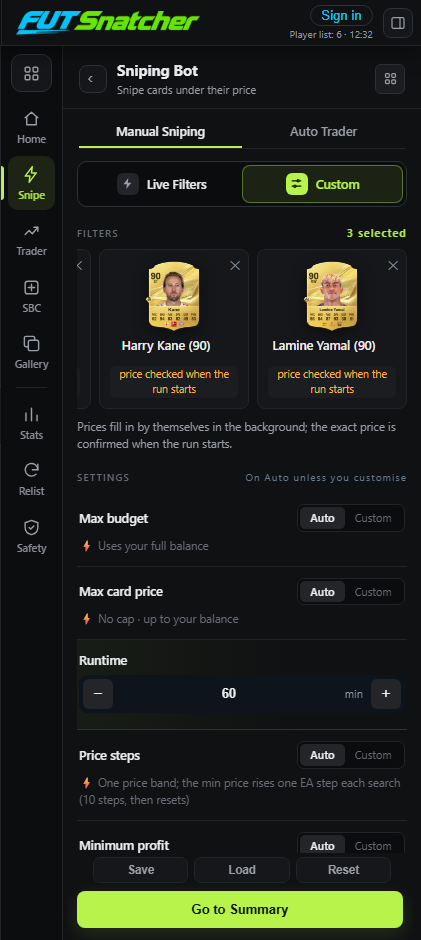
Your own filters, your own rules
Manual Sniping searches only the players you choose. Every setting has a safe Auto value, or set it yourself: budget, max price, price steps, minimum profit, purchase limits, speed and breaks.
- Prices proven on EA before anything is bought
- Buy Now goes out the moment a card is found
- Dry run mode to practise without buying
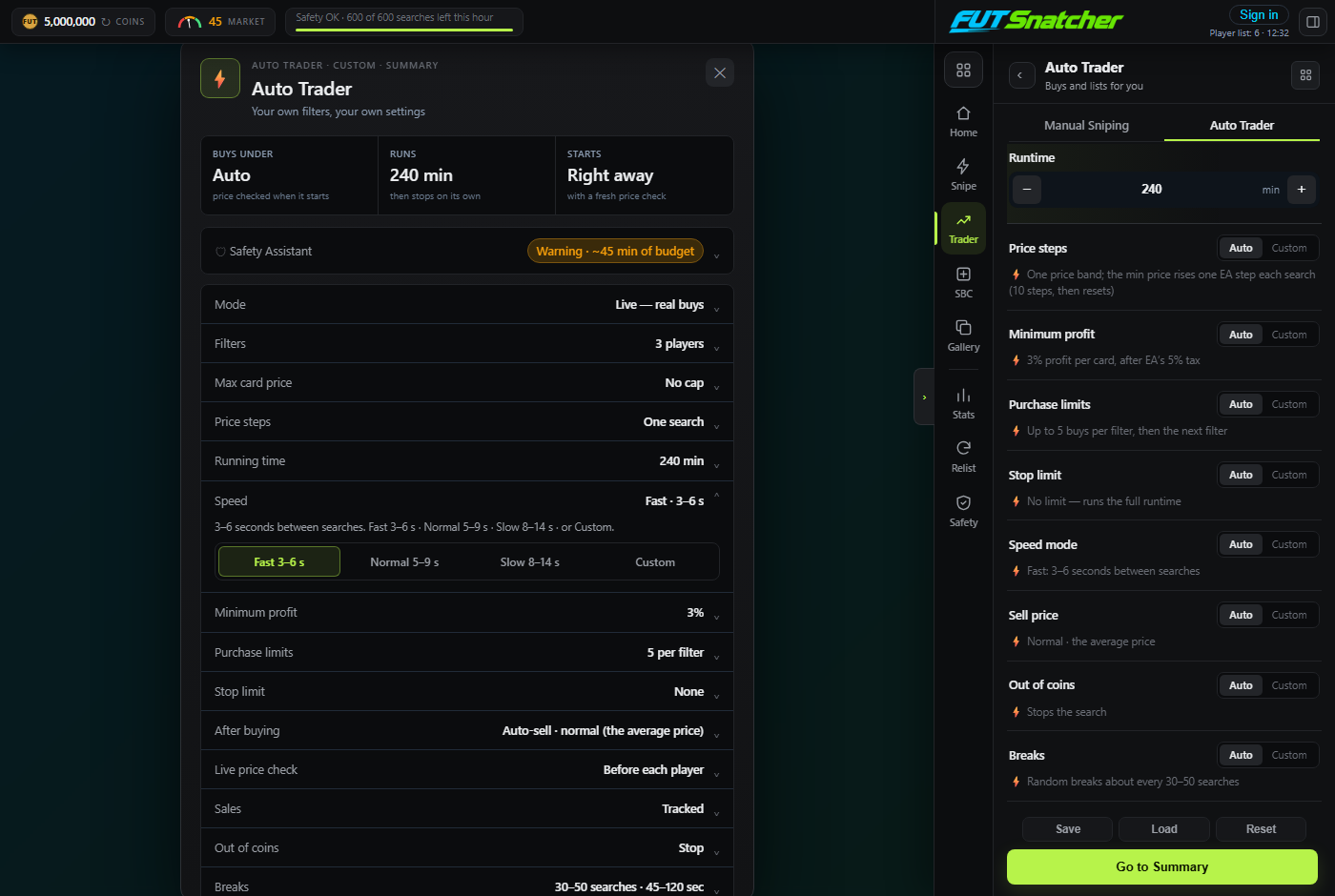
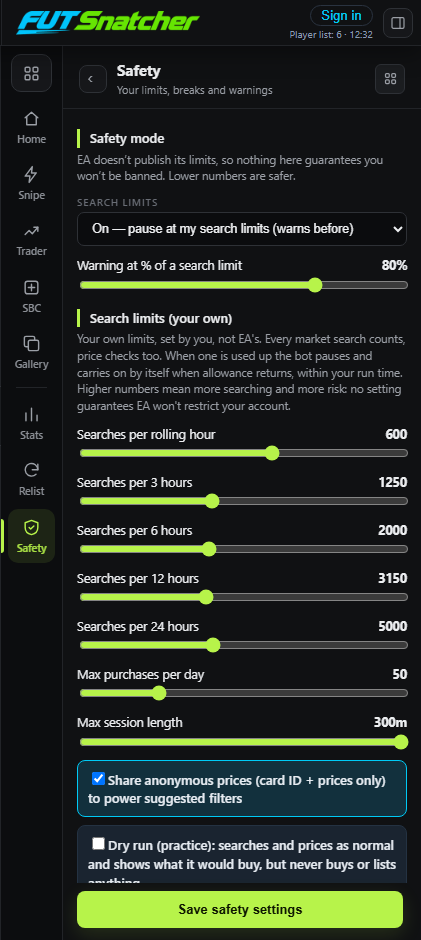
Limits you control
Search limits per 1, 3, 6, 12 and 24 hours, random safety breaks, purchase caps and a session length. When a limit is used up, the bot pauses and carries on by itself.
- Every search counts, price checks too
- Warnings before a limit is reached
- Stops straight away if EA restricts the account
Every snipe and every coin, on your account
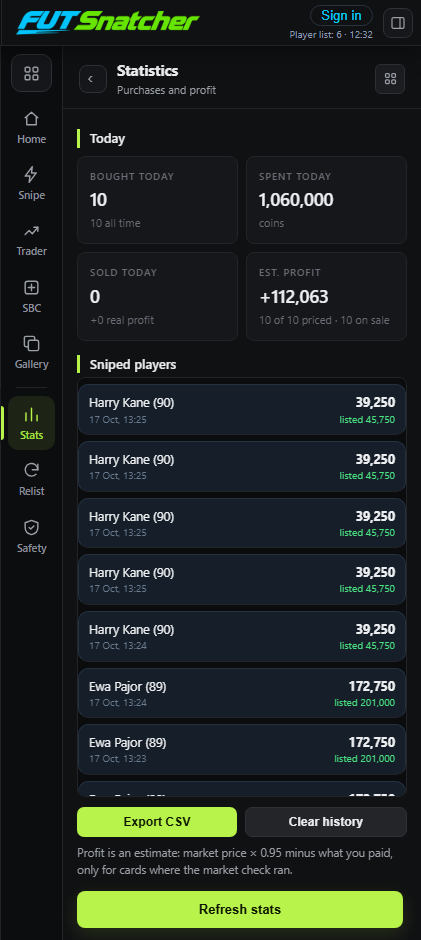
Sign in to the app with your FUT Snatcher account and every card it buys and sells shows up on your dashboard: profit per day, best snipes, win rate and the full history.
- Statistics in the app as well
- Works across your devices
- Only cards and prices are sent, never EA account details
Up and running in four steps
Create an account
Sign up and confirm your email. Your free trial starts straight away.
Install the app
The Windows desktop app or the Chrome extension, then sign in with your FUT Snatcher account.
Open the Web App
Log in to EA's Web App yourself, as usual. We never ask for your EA password.
Pick and press Start
Choose your players or Live Filters, check the summary and start. Results land on your dashboard.
Pick your plan
Cancel any time from Whop or Patreon.
Pay with the same email as your FUT Snatcher account and your plan switches on by itself. Compare plans →
Ready to snipe?
Create your account, confirm your email and your free trial starts.